R-Link 2

Switching on
The multimedia system starts:
- when the vehicle is started;
- when the multimedia panel on/off switch is pressed;
- when the screen is touched.
At start-up, the system enables you to set certain functions:
- Press “Modify” to allow apps to share data related to your journey (or to prevent such sharing).
- Press “OK” to allow data sharing.
- Press “Profile” to change the user profile.
- Press “Language” to change the system language.
Switching off
The multimedia system switches off:
- when the multimedia panel on/off switch is pressed;
- when the opening elements of your vehicle are locked.

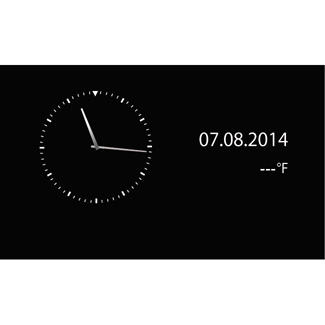
Clock/temperature screen
This screen is displayed when the driver’s door is opened, before the ignition is switched on.
It can also be displayed when the system is stopped: with the ignition on, press the on/off button on your system. The system then stops the guidance and turns the sound off.
A screen showing the time is displayed.

Resetting the system
You can reset all system settings and/or delete all personal data. To do this, on the home screen, select “Menu” > “System”, press the pop-up menu button then “Factory reset”.
A confirmation message is displayed on the screen.
For safety reasons, carry out these operations when the vehicle is stationary.