Renault Kangoo 2 phase 2
The display of information shown below DEPENDS ON THE VEHICLE EQUIPMENT AND COUNTRY.
Examples of selections | Interpreting the display selected | |||||
|---|---|---|---|---|---|---|
a) Total mileage and trip mileage recorder | ||||||
| ||||||
37360 KM 7080 KM | ||||||
| ||||||
b) Journey parameters Fuel consumed since the last reset. | ||||||
FUEL USED | ||||||
26.0 L | ||||||
| ||||||
AVERAGE |
| Average fuel consumption since the last reset. This value is displayed after driving 400 metres and takes into account the distance travelled and the fuel used since the last time the reset button was pressed. | ||||
7.3 L/100 | ||||||
| ||||||

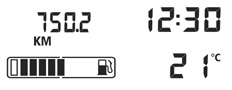


Examples of selections | Interpreting the display selected | |||||
|---|---|---|---|---|---|---|
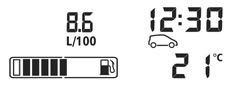
CURRENT |
| Current fuel consumption This value is displayed after a speed of approximately 20 mph (30 km/h) is reached. | ||||
8.6 L/100 | ||||||
| ||||||
RANGE |
| Estimated range with remaining fuel This range takes into account the average fuel consumption since the last time the reset button was pressed. The value is displayed after driving 400 metres. Several minutes after the reserve light has come on (refer to the information on the “Instrument panel”), the estimated range will no longer be displayed. | ||||
402.0 KM | ||||||
| ||||||
DISTANCE |
| Distance travelled since the last reset. | ||||
430.0 KM | ||||||
| ||||||
AVERAGE |
| Average speed since the last reset. The value is displayed after driving 400 metres. | ||||
109.2 KM/H | ||||||
| ||||||


Examples of selections | Interpreting the display selected | |||||
c) Mileage before service Distance remaining until the next service (displayed in kilometres), then when the service nears, several scenarios are possible: - distance/time less than 1,800 miles (3,000 km) or two months: the message “SERVICE DUE ” is displayed; - mileage before service equal to 0 miles (0 km) or service date reached: the message “SERVICE PROMPTLY” is displayed when the selected display is “mileage before service”, along with the symbol 9 and the warning light ©. The vehicle requires a service as soon as possible. | ||||||
SERVICE IN |
| |||||
137.7 KM | ||||||
| ||||||
Note: depending on the vehicle, the mileage before service changes according to the driving style (frequent driving at low speeds, door-to-door, prolonged periods at idle speed, towing a trailer, etc.). The distance remaining until the next service can therefore, in some cases, be less than the actual distance remaining. Resetting the display after the service in accordance with the maintenance schedule. The mileage before service must only be reset after a service which complies with the recommendations in the Maintenance Document. If you decide to change the oil more frequently, do not reset this data each time the oil is changed to avoid exceeding the replacement intervals for other parts in the maintenance schedule. Special features: to reset the mileage before service value, go to the service page (see image above) and press and hold one of the display’s reset buttons for at least 10 seconds until the mileage before service value is displayed continuously. Refer to the information on the “Trip computer and warning system: general information” in Section 2. | ||||||


Examples of selections | Interpreting the display selected | |||||
|---|---|---|---|---|---|---|
SPEED LIMITER | d) Cruise control/speed limiter programmed speed (depending on vehicle). Please refer to the information on “Cruise control/speed limiter” in Section 2. | |||||
70 KM/H | ||||||
CRUISE CONTROL | ||||||
70 KM/H | ||||||
TIRES:SET TPW | SEt tP | e) Reset the tyre pressures Please refer to the information on the “Tyre pressure loss warning” in Section 2. | ||||
TYRE PRESSURE ACQUISITION | SEt PP | |||||
f) Trip log. Successive display: - information messages; - operating fault messages. Refer to the information on the “Trip Computer: information messages” and “Trip Computer: operating fault messages” in section 1. | ||||||
NO MESSAGE AVAILABLE | ||||||
BEFORE 2400KM TOPUP ADBLUE | g) Estimated range with remaining reagent. Refer to the information on “Reagent tank” in Section 1. | |||||