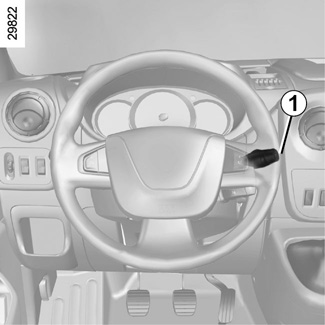
Using voice recognition

<?xml version="1.0" standalone="yes"?>

Introduction

Your vehicle's multimedia system uses your telephone's voice recognition system to:

  • control some of the vehicle multimedia system functions and some of your telephone functions by voice;
  • enable you to use your multimedia system or your phone while keeping your hands on the steering wheel.

Note:

Chapter

Wireless charger

<?xml version="1.0" standalone="yes"?>

Induction charging area

Introduction

Use the induction charging zone 1 to charge a phone without using a cable.

If the vehicle is equipped, the charging area is indicated by (depending on the vehicle):

  • an associated symbol;

and/or

Chapter

Call management

<?xml version="1.0" standalone="yes"?>

Phonebook

From the main menu, press "Telephone" then "Contacts list" to access the system's phonebook.

Chapter

Pair and connect a phone

<?xml version="1.0" standalone="yes"?>

Pairing, unpairing devices Bluetooth®

Pairing another phone Bluetooth®

To use your hands-free phone system, you must pair your Bluetooth® mobile to your vehicle before using it for the first time.

Chapter

Audio setting

<?xml version="1.0" standalone="yes"?>

Volume adjustment according to speed ("Volume/Speed")

When your vehicle speed exceeds approximately 25 mph (40 km/h), the volume level increases in relation to the original volume level.

Adjust the volume/speed ratio by pressing "+" or "˗" in area 1.

Chapter

Video

<?xml version="1.0" standalone="yes"?>

Video

Depending on the country and/or regulation in place, the system may be able to play video files stored on your USB flash drive.

Chapter

Listen to the radio

<?xml version="1.0" standalone="yes"?>

Selecting a wavelength

To choose a waveband:

Chapter