Information messages <?xml version="1.0" standalone="yes"?>These can help in the vehicle starting phase, or give information about a selection or a driving status.Examples of information messages are given in the following pages.Examples of messages Chapter
Journey settings <?xml version="1.0" standalone="yes"?>The display of information shown below DEPENDS ON THE VEHICLE EQUIPMENT AND COUNTRY.Examples of selections Chapter
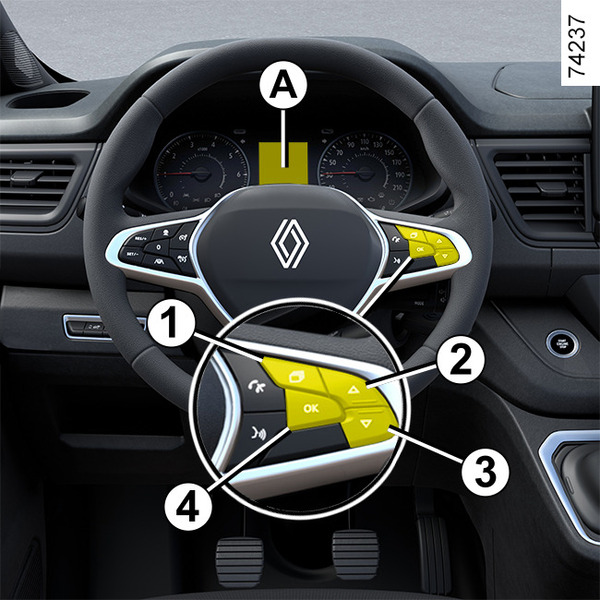
General information <?xml version="1.0" standalone="yes"?>Vehicle fitted with trip computer A Depending on the vehicle, this includes the following functions: Chapter
Driver’s position, right-hand drive <?xml version="1.0" standalone="yes"?> The equipment described below DEPENDS ON THE VEHICLE VERSION AND COUNTRY.1.Side air vents.2.Cup holder compartment. Chapter
Driver's position: left-hand drive <?xml version="1.0" standalone="yes"?> The equipment described below DEPENDS ON THE VEHICLE VERSION AND COUNTRY.1.Side air vents.2.Location for ashtray or cup holder.3.Stalk for: Chapter
Child safety: deactivating, activating the front passenger airbag <?xml version="1.0" standalone="yes"?>WarningswarningThe passenger airbag may only be activated or deactivated when the vehicle is stationary with the ignition off.OperationwarningDANGER Chapter
Attachment using the ISOFIX system <?xml version="1.0" standalone="yes"?>5-seater Combi versionFitting diagram Chapter