Switching on, off

<?xml version="1.0" standalone="yes"?>

Power button 1

Turning on the multimedia system

When you press the vehicle start button, the multimedia system will automatically turn on.

Chapter

Introduction to the controls

<?xml version="1.0" standalone="yes"?>

Steering wheel controls

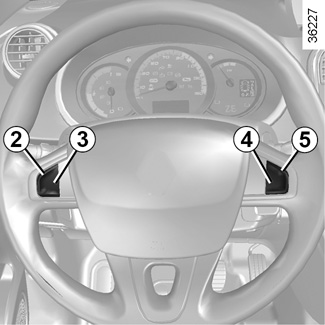
You can operate various functions of the multimedia system using the buttons on the right side of the steering wheel.

Chapter

General description

<?xml version="1.0" standalone="yes"?>

Central screen

This is the basic home screen of the central display. There is one home screen in the center and one in the front passenger side, and various gesture functions can be used (such as brightness adjustment, volume control, screen navigation, etc.).

Chapter

Replacement parts and repairs

Original parts are based on very stringent specifications and are subjected to specific tests. Therefore, they are of at least the same level of quality as the parts fitted originally.

If you always fit genuine replacement parts to your vehicle, you will ensure that it performs well. Furthermore, repairs carried out in the approved dealer network with original parts are guaranteed according to the conditions stated on the back of the repair order.

Chapter

Weights (in kg)

<?xml version="1.0" standalone="yes"?>

The weights indicated are for a basic vehicle without optional fittings: they vary according to your vehicle's equipment. Consult your approved Dealer.

Chapter