Roof bars <?xml version="1.0" standalone="yes"?>Roof bars Open the doors to access the fixing points 1.Precautions during useHandling the tailgate Chapter
Towbar <?xml version="1.0" standalone="yes"?>tipPermissible nose weight, maximum permissible towing weight braked and unbraked :Weights (in kg).Choice and fitting of towing equipmentMaximum weight of towing equipment : Chapter
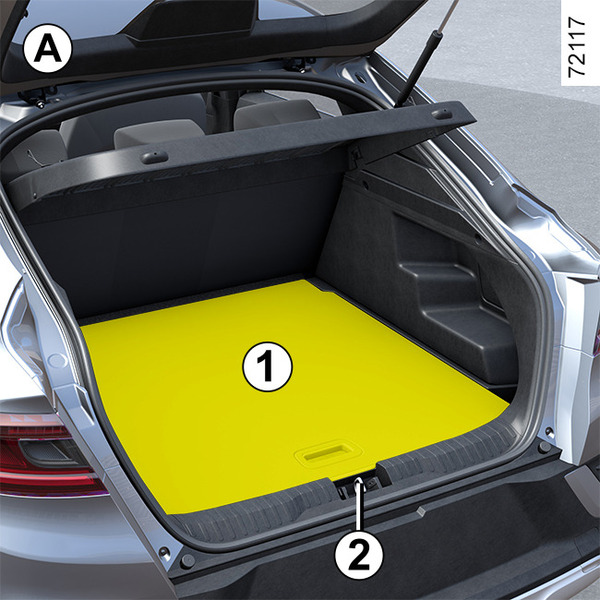
Luggage compartment storage <?xml version="1.0" standalone="yes"?>Mobile floor 1 (depending on the vehicle)Mobile floor 1 position can be changed as below.Flat position A Chapter
Passenger compartment storage, fittings <?xml version="1.0" standalone="yes"?>Front door storage pockets 1 They can hold a 1.5-litre bottle. Chapter
Accessories socket <?xml version="1.0" standalone="yes"?>Accessories socket 1 You can use the socket 1, or 2 depending on the vehicle. It is provided for connecting accessories approved by our Technical Department. Chapter
Sun visor, mirror <?xml version="1.0" standalone="yes"?>Front sun visor Lower sun visor 1.Courtesy mirrors(depending on the vehicle)Lift the cover 2. The light 3 switches on automatically. Chapter