Wireless charger

<?xml version="1.0" standalone="yes"?>

You can charge your phone without a cable in charging area 1.

Activate the wireless charging system in the control center. Control center

Chapter

Pair and connect a phone

<?xml version="1.0" standalone="yes"?>

Pairing, unpairing a phone

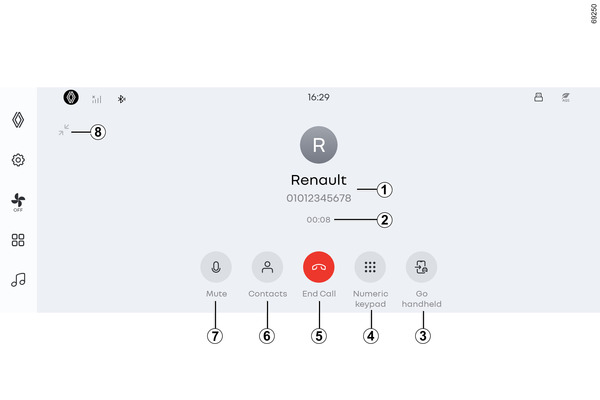
By pairing and connecting your mobile phone, you can use phone and other features in the multimedia system. However, no contact copies or personal data will be stored in the multimedia system.

The multimedia system does not support mobile phones with dual SIMs. Adjust the settings on your mobile phone to properly pair it with the multimedia system.

Chapter

Video

<?xml version="1.0" standalone="yes"?>

Chapter

Gallery

<?xml version="1.0" standalone="yes"?>

Chapter

Music

<?xml version="1.0" standalone="yes"?>

Music

Chapter

Audio sources

<?xml version="1.0" standalone="yes"?>

Multimedia widget

The widget allows you to control multimedia functions from the home screen.

The multimedia widget lets you listen to music through a variety of apps. The widget supports the following music systems.

Chapter