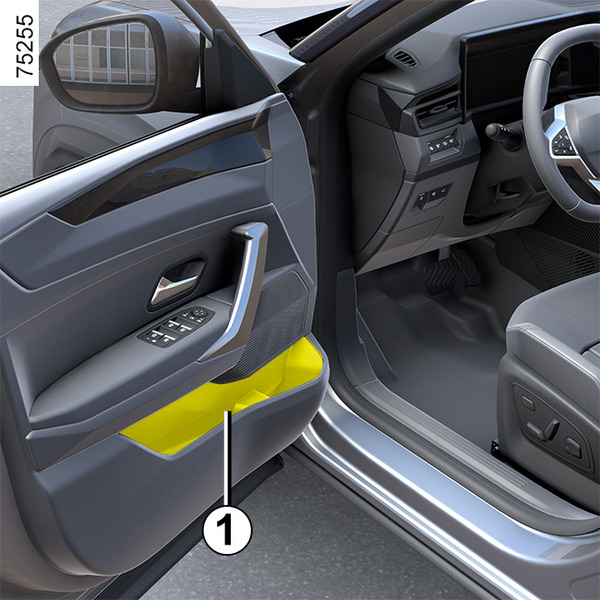
Luggage compartment storage

<?xml version="1.0" standalone="yes"?>

Luggage cover

To open up the luggage compartment lid

Pull handle 1 lightly and place each end of the cover in notch 3 (intermediate position).

Chapter

Accessories socket

<?xml version="1.0" standalone="yes"?>

Accessory sockets 1

You can use socket 1.

This is used to connect accessories approved by our Technical Department.

Chapter

Sun visor, mirror, grab handle

<?xml version="1.0" standalone="yes"?>

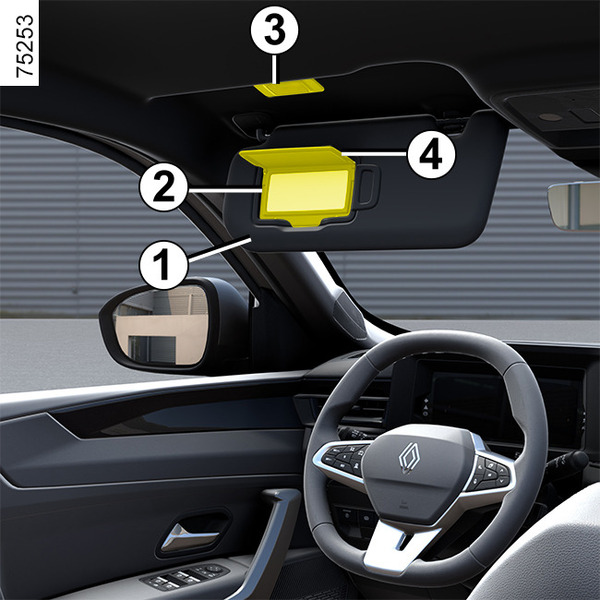
Sunblind 1

Lower the sun visor 1 over the windscreen, or unclip it and swivel it over the side window.

Chapter

Interior lighting

<?xml version="1.0" standalone="yes"?>

Front map reading lights

Touch lights 1 or 2 to activate:

  • permanent lighting;
  • immediately switch off the lighting.

Note:

Chapter

Electric sunroof

<?xml version="1.0" standalone="yes"?>

To slide the curtain 1

(depending on the vehicle)

Opening:

Chapter

Electric windows

<?xml version="1.0" standalone="yes"?>

These systems operate with the ignition on or off, until one of the front doors is opened (limited to about 3 minutes).

warning

Driver's responsibility

Never leave your vehicle with the card or key inside, with a child, adult who is not self-sufficient or a pet in the vehicle, even for a short while.

Chapter

Multimedia equipment

<?xml version="1.0" standalone="yes"?>

Multimedia system

The presence and location of this equipment depends on the vehicle’s multimedia equipment.

1.

Multimedia screen.

Chapter