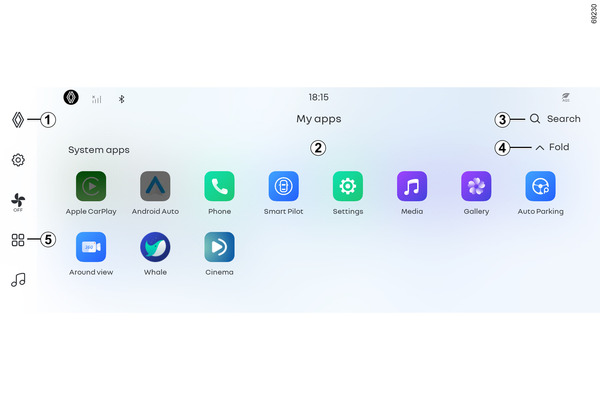
My app

<?xml version="1.0" standalone="yes"?>

Chapter

Android Auto™ , CarPlay™

<?xml version="1.0" standalone="yes"?>

Android Auto and Apple CarPlay are application apps that can be downloaded to your smartphone, allowing you to use some of your smartphone's apps through the multimedia system.

Android Auto

Android Auto is an app that can be downloaded to your smartphone, allowing you to use some of your smartphone's apps on the multimedia system screen.

Note: If your smartphone does not support Android Auto, refer to the manufacturer's user manual or website.

Chapter

Wireless charger

<?xml version="1.0" standalone="yes"?>

You can charge your phone without a cable in charging area 1.

Activate the wireless charging system in the control center. Control center

Chapter

Pair and connect a phone

<?xml version="1.0" standalone="yes"?>

Pairing, unpairing a phone

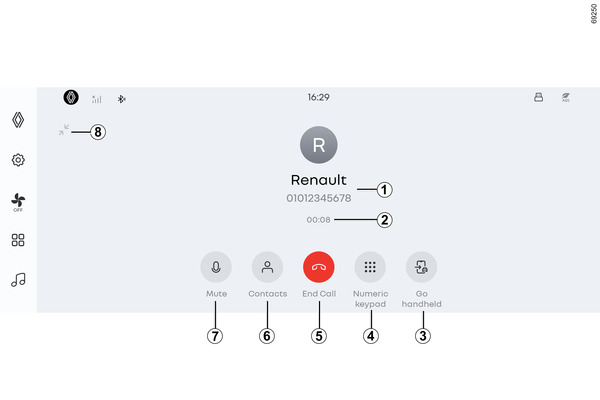
By pairing and connecting your mobile phone, you can use phone and other features in the multimedia system. However, no contact copies or personal data will be stored in the multimedia system.

The multimedia system does not support mobile phones with dual SIMs. Adjust the settings on your mobile phone to properly pair it with the multimedia system.

Chapter

Video

<?xml version="1.0" standalone="yes"?>

Chapter

Gallery

<?xml version="1.0" standalone="yes"?>

Chapter