Luggage compartment storage

<?xml version="1.0" standalone="yes"?>

Rear parcel shelf

13025_HJF_001_1_image.jpeg

Removal

Unhook the two cords 1 (luggage compartment side).

Chapter

Accessories socket

<?xml version="1.0" standalone="yes"?>

Accessories sockets 1 or, depending on the vehicle, 2

The sockets are provided to connect accessories approved by our Technical Department.

Chapter

Sun visor, mirror, grab handle

<?xml version="1.0" standalone="yes"?>

Sun visor 1 and 2

Lower the sun visor 1 or 2 over the windscreen or unclip it and flip it to cover the side window.

Chapter

Interior lighting

<?xml version="1.0" standalone="yes"?>

Courtesy light

Press switch 1, or, depending on the vehicle, switch 2 or 3 to enable:

Chapter

Electric windows

<?xml version="1.0" standalone="yes"?>

Electric windows

These systems operate with the ignition on or ignition off until one of the front doors is opened (limited to approximately three minutes).

warning

Driver's responsibility

Never leave your vehicle with the key or card inside the vehicle with a child, adult who is not self-sufficient or an animal, even for a short time.

Chapter

Multimedia equipment

<?xml version="1.0" standalone="yes"?>

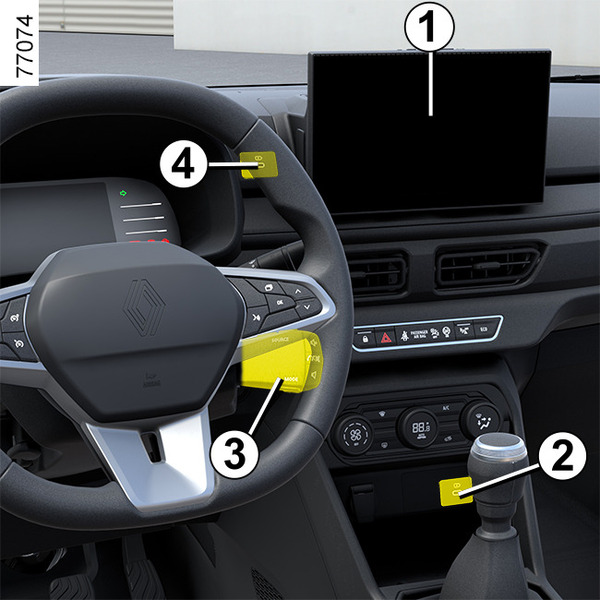
The presence and location of this equipment depends on the vehicle’s multimedia equipment.

1.

Multimedia screen.

2.

Charging socket or, depending on the vehicle, multimedia socket

Chapter

Air conditioning: information and advice on use

<?xml version="1.0" standalone="yes"?>

Advice on use

In some situations, (air conditioning off, air recirculation activated, ventilation speed at zero or low, etc.) you may notice that condensation starts to form on the windows and windscreen.

If there is condensation, use the "Clear View" function to remove it, then use the air conditioning in automatic mode to stop it forming again.

Chapter