Wiper

<?xml version="1.0" standalone="yes"?>

Windscreen wash, wipe

Your vehicle is fitted with windscreen wipers

10002_XFKEV_048_1_image.jpeg

Chapter

Audible and visual signals

<?xml version="1.0" standalone="yes"?>

Horn

10002_XFKEV_039_1_image.jpeg

Press the steering wheel boss A to sound the horn.

Headlight flasher

To flash the headlights, pull the stalk 1 towards you, then release.

Chapter

Headlight beam adjustment

<?xml version="1.0" standalone="yes"?>

Switch A is used to adjust the height of the headlight beams according to the load.

With the dipped beam headlights on, press or raise switch A as many times as required to select the required position on the instrument panel.

Chapter

Camera rear view

<?xml version="1.0" standalone="yes"?>

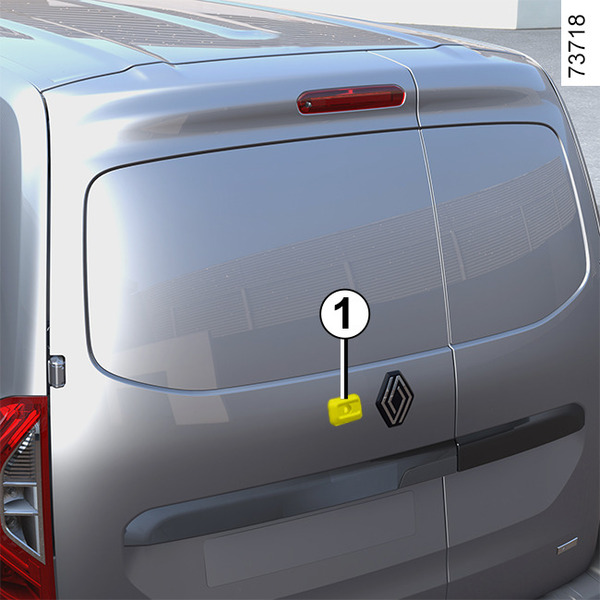
Depending on the vehicle, the rear view may be shown by the camera 1.

Direct rear view by mirror remains available at all times.

The camera 1 is installed on the left-hand rear hinged door.

Chapter

Rear view mirrors

<?xml version="1.0" standalone="yes"?>

Door mirrors

10002_XFKEV_045_1_image.jpeg

Adjustment

Select the door mirror using switch 2, then use button 1 to adjust it to the desired position.

Heated rear view mirrors

Chapter

Steering

<?xml version="1.0" standalone="yes"?>

Adjusting the steering wheel height and depth

10002_XFKEV_558_1_image.jpeg

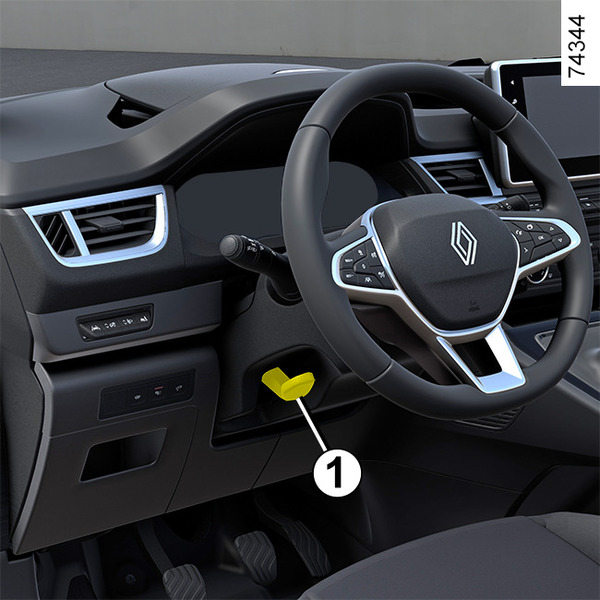
Lower the lever 1 and set the steering wheel to the required position.

Then, raise the lever fully, beyond the point of resistance, to lock the steering wheel.

Chapter

Warning lights

<?xml version="1.0" standalone="yes"?>

The presence and operation of the warning lights VARY ACCORDING TO THE EQUIPMENT AND COUNTRY.

warning

If no lights or sounds are apparent, this indicates a fault in the instrument panel. This indicates that it is essential to stop immediately (as soon as traffic conditions allow). Ensure that the vehicle is correctly immobilised and contact an approved Dealer.

Chapter