Steering

<?xml version="1.0" standalone="yes"?>

Steering wheel

Adjusting the steering wheel

The height of the steering wheel and, depending on the vehicle, the depth can be adjusted.

Chapter

Indicator lights

<?xml version="1.0" standalone="yes"?>

The presence and operation of the warning lights DEPENDS ON THE VEHICLE EQUIPMENT AND COUNTRY.

warning

If no lights or sounds are apparent, this indicates a fault in the instrument panel. Stop immediately if traffic conditions allow. Ensure that the vehicle is correctly immobilised and consult an approved dealer.

Chapter

Time and outside temperature

<?xml version="1.0" standalone="yes"?>

The time and outside temperature are shown on the multimedia screen 1.

Depending on the vehicle, you can set the time via the multimedia screen 1, select the "Vehicle" world, press the "Settings" menu and then "Date and Time".

You can access various settings:

Chapter

Vehicle settings customisation menu

<?xml version="1.0" standalone="yes"?>

Depending on the vehicle equipment, this function enables the activation/deactivation and adjustment of some vehicle functions.

Chapter

Displays and indicators

<?xml version="1.0" standalone="yes"?>

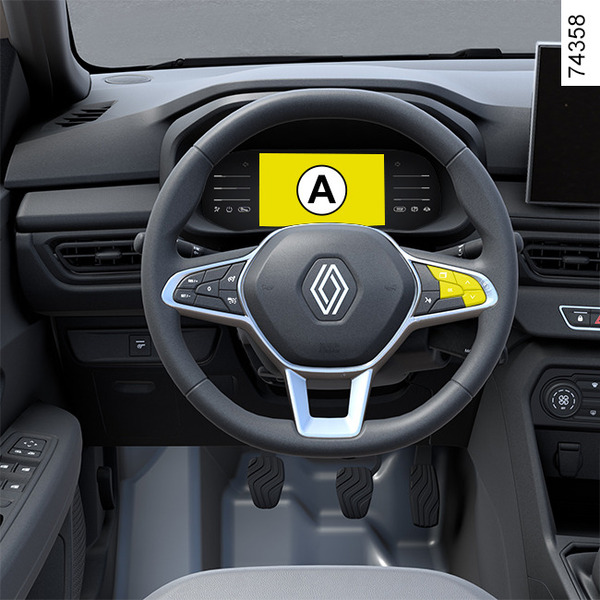
Instrument panel A

Lights up when the ignition is switched on.

A message is displayed at the same time as some indicators are switched on.

You can customise your instrument panel with various content and colours of your choice.

Chapter

Warning messages

<?xml version="1.0" standalone="yes"?>

They are displayed along with the

Chapter

information messages

<?xml version="1.0" standalone="yes"?>

These can help in the vehicle starting phase, or give information about a selection or a driving status.

Examples of information messages are given in the following pages.

Chapter

Journey parameters

<?xml version="1.0" standalone="yes"?>

The display of information shown below DEPENDS ON THE VEHICLE EQUIPMENT AND COUNTRY.

Examples of selections

Interpreting the display selected

Chapter

General information

<?xml version="1.0" standalone="yes"?>

Trip computer A or B

Depending on the ve

Chapter