Renault Kardian
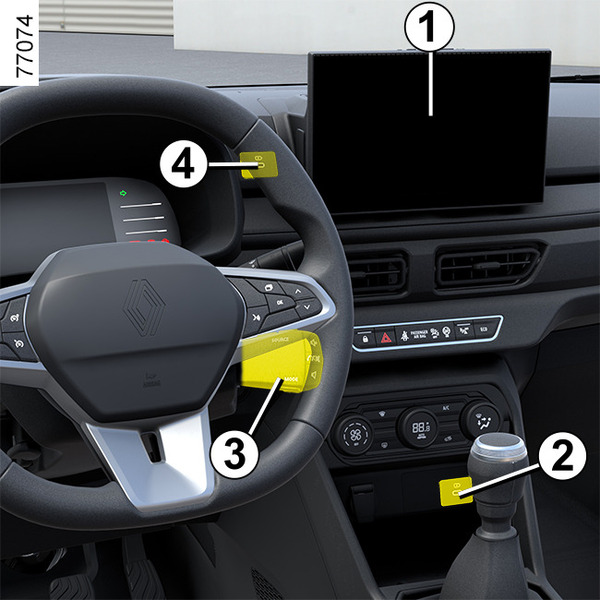
The presence and location of this equipment depends on the vehicle’s multimedia equipment.
- 1.
Multimedia screen.
- 2.
Charging socket.
- 3.
Steering column controls.
- 4.
Multimedia socket.
- 5.
Microphone.
- 6.
Charging socket.
tip
Refer to the equipment instructions for information on how to operate this equipment.
Microphone 5

warning
Connect accessories with a maximum power of 12 watts only.
Fire hazard.
tip
If you connect a cable from an accessory to a USB port (e.g. a smartphone charging cable), be sure to disconnect it when no longer needed.
Risk of short circuit and damage to the USB port in the event of contact between the end of the cable and a metallic object (e.g. cigarette lighter, etc.).
Charging socket 2 or 6

The socket USB can be used to charge accessories with a maximum power of 12 watts (5 V) per socket.
Multimedia socket 4
You can use USB socket to access the multimedia content of your accessories.
The various sources can be selected from the multimedia screen and from the steering column controls.
Steering wheel control 7

On equipped vehicles, use voice command 8.
Induction charging area 9
