Display Link - Navi Link
System panels
Screen selections are made by touching the desired selection on the screen.
Availability of the navigation screen depends on the vehicle, country and/or legislation in place.
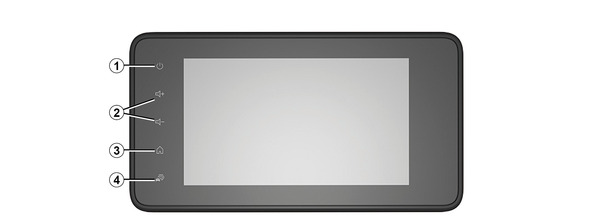

Steering column controls
Availability depends on the vehicle


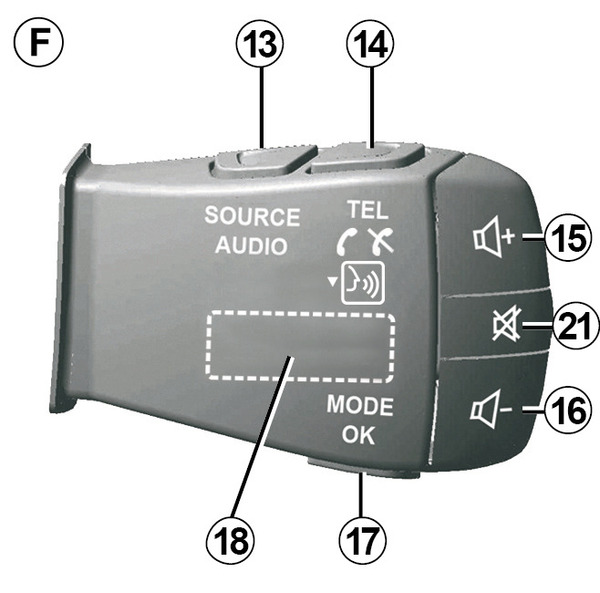
Steering column controls

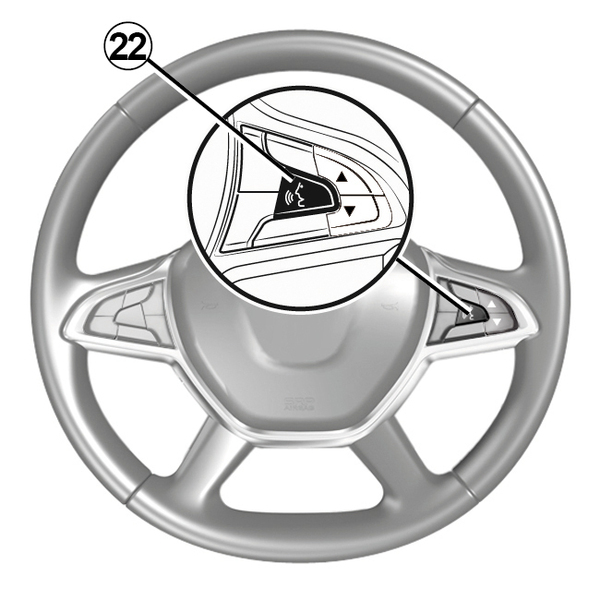


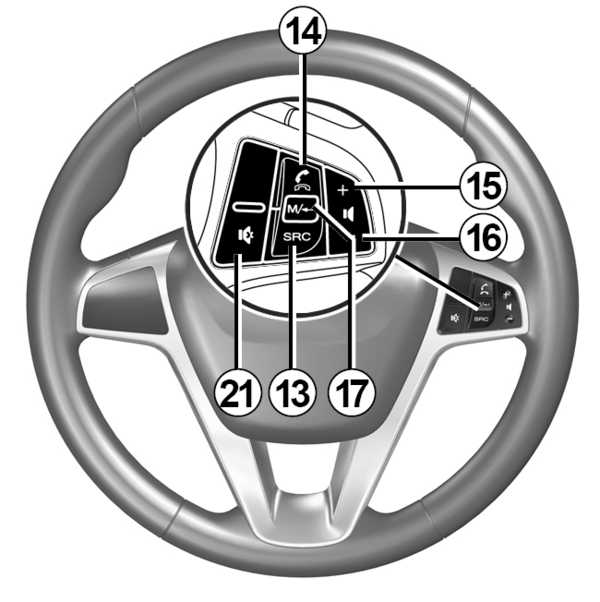

Functions
Function | |
1 | Tap: standby screen ON / OFF. Press and hold (>10 seconds): if your system is no longer responding or in the event of deadlocking: this enables the multimedia system to be restarted. |
2, 15, 16 | Adjust the volume. |
3 | Access the "Home" menu. |
Phone or auxiliary sources: exit the current window to return to the navigation screen (current) or to the previous screen. | |
4 | Access the "Vehicle Settings" menu. |
5 | Delete Current Route. |
6 | Access the "Navigation" menu |
7 | Access the media currently playing (FM/AM/DAB/USB/Bluetooth®). |
8 | Traffic information in progress (TMC). |
9 | Return to previous screen/menu. |
10 | Mute/unmute the voice guidance. |
11 | Change the map zoom. |
12 | Change the map view mode (2D/3D/2D North). |
Function | |
13 | Select the audio source (FM/AM/DAB/USB/Bluetooth®). |
14 | When receiving a call:
Brief press during a call: end call. When listening to an audio source: "MUTE/UNMUTE" the sound (only for controls D and E). Short press: access to the "Phone" menu (only for controls B and C). Tap: activate/deactivate your telephone voice recognition (only for controls A and F). |
15 | Increase the volume of the audio source currently in use. |
16 | Decrease the volume of the audio source currently in use. |
15+16 | "MUTE/UNMUTE" the sound (only for controls A and B). |
17, 23 | Radio: change the radio station mode ("Frequency", "List", "Presets"). USB/Portable digital audio player media source: change the play mode for the media currently playing ("Main" or "List"). |
18 | Rear dial:
|
19 | Go to the previous audio source (FM/AM/DAB/USB/Bluetooth®). |
Function | |
20 | Briefly press to go to the next audio source (FM/AM/DAB/USB/Bluetooth®). Press and hold: activate/deactivate your smartphone voice recognition (only for control E). |
21 | Radio mute on/off. Pause/play an audio track. Interrupt the voice recognition voice synthesizer. |
22 | Activate/deactivate voice recognition on your smartphone if it is connected to the multimedia system. |