R-Link

Switching on
The multimedia system switches on automatically when the ignition is switched on. In other cases, press the start/stop button .
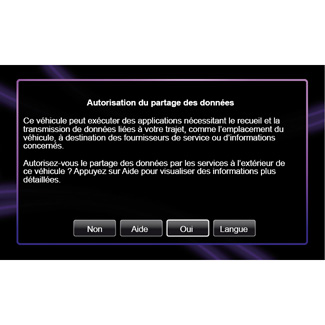
At start-up, the system displays a safety screen to show you the state of data sharing if connected. This screen lets you set certain functions:
- Press the “Change settings” 1 button to authorise or reject data sharing;
- Press the “Done” 2 button to begin using the multimedia system;
- Press the “Language” 3 button to change the system language;
- Press the “Help” 4 button to see more detailed information.
The system displays a screen to confirm the authorisation of data sharing after pressing the “Change settings 1” button.
Switching off
With the ignition off, the system is deactivated automatically when the driver’s door is opened.
With the ignition on, press the multimedia system on/off button .
Resetting the system
To reset all the system settings and/or delete all personal data, select “System” from main menu, then “Restore factory settings” and follow the on-screen instructions.
Note: Resetting the system means deleting all the applications.

Exterior temperature/clock
This screen is displayed when the driver’s door is opened, before the ignition is switched on.
It is displayed when the system is off: with the ignition on, press the on/off button on your multimedia system. The system then stops the guidance and displays the clock and temperature.