Display Link - Navi Link
Access the Driving Eco menu

From the main menu, press "Vehicle", then "Driving Eco".
The "Driving Eco" menu grants access to the following information:
- "Green recommendations";
- "Journey record";
- "Eco score".
"Green recommendations"
This menu assesses your driving style and gives you the best possible advice to optimise your fuel consumption.

"Journey record"
This menu shows you the data saved from your last journey:
- "Average fuel consumption";
- « Total consumption » ;
- « Average speed » ;
- "Distance without fuel consumption".
Note: you can reset the data by pressing 1.
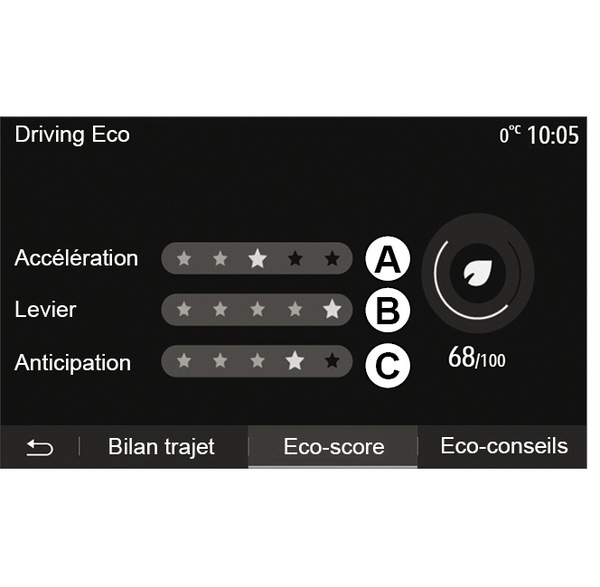
"Eco score"
This menu gives you an overall mark out of 100. The higher the score, the better your eco-driving performance:
- average acceleration performance (zone A);
- average gear change performance (zone B);
- average braking anticipation performance (zone C).