Renault Kardian
The display of information shown below DEPENDS ON THE VEHICLE EQUIPMENT AND COUNTRY.
Examples of selections | Interpreting the display selected | |
|---|---|---|
101778 km 112.4 km | a) Total mileage and trip mileage recorder. | |
Average
| b) Trip settings: Average fuel consumption. The value is displayed after having travelled at least 400 metres since the last reset. | |
Current
| Current fuel consumption. Value displayed after reaching a speed of 12 mph (20 km/h), depending on the vehiclekm/h. | |
Range
| Estimated range with remaining fuel. The value is displayed after driving 400 metres. | |
Distance
| Distance travelled since last reset. | |
Average
| Average speed since last reset. The value is displayed after driving 400 metres. | |
90 km/h | c) Current speed (depending on the vehicle). | |


Examples of selections | Interpreting the display selected | |
|---|---|---|
On-board computer without mileage-before-service message | ||
Service in 30 000 Km/12months | d) Mileage before service and oil change. Service distance. With the ignition switched on, the engine not running and the display set to "Service Intervals". When the distance or time value approaches its limit, there are several possible scenarios:
The vehicle requires an oil change as soon as possible. | |
Service due in 300 Km/24days | ||
Service required | ||
Reset: to reset the distance before the next service, press and hold the "OK" button for approximately 10 seconds until the display shows the mileage before service permanently. Note: if a service is performed without changing the engine oil, only the distance before the next service should be reset. In the event of an oil change, both the distance before the next service and the next oil change should be reset. | ||

Examples of selections | Interpreting the display selected | |
|---|---|---|
On-board computer without mileage-before-service message | ||
| Mileage before service. Distance remaining until the next service. Depending on the vehicle:
The warning light
The vehicle requires a service as soon as possible. | |
Note: The service intervals are independent of the vehicle's maintenance schedule: refer to the maintenance document for your vehicle. Reset: to reset the mileage before service, press and hold the service reset button for approximately 10 seconds. | ||
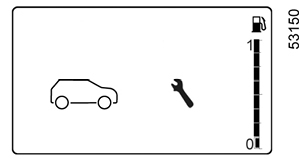

Examples of selections | Interpreting the display selected |
|---|---|
On-board computer with distance-before-service message | |
Oil change in 30 000 Km/12months | Mileage before oil change. With the ignition switched on, the engine not running and the display set to "Service Intervals". When the distance or time value approaches its limit, there are several possible scenarios:
The vehicle requires an oil change as soon as possible. |
Service due in 300 Km/24days | |
Service required | |
Depending on the vehicle, the mileage before an oil change varies according to the driving style (frequent driving at low speed, door-to-door journeys, extensive use at idling speed, towing a trailer, etc.). The distance remaining until the next oil change can therefore decrease more quickly in some cases than the actual distance travelled. Reset: to reset the distance before the next service, press and hold the "OK" for approximately 10 seconds until the display shows the mileage before oil change permanently. Note: if a service is performed without changing the engine oil, only the distance before the next service should be reset. In the event of an oil change, both the distance before the next service and the next oil change should be reset. | |
Examples of selections | Interpreting the display selected | |
|---|---|---|
On-board computer without mileage-before-service message | ||
| Mileage before oil change. Distance remaining until the next oil change. Depending on the vehicle:
The warning light
The vehicle requires an oil change as soon as possible. | |
Note: depending on the vehicle, the mileage before an oil change varies according to the driving style (frequent driving at low speed, door-to-door journeys, extensive use at idling speed, towing a trailer, etc.). The distance remaining until the next oil change can therefore decrease more quickly in some cases than the actual distance travelled. The oil change intervals are independent of the vehicle's maintenance schedule: refer to the maintenance document for your vehicle. Reset: to reset the mileage before oil change, press and hold the oil change reset button for approximately 10 seconds. | ||


Examples of selections | Interpreting the display selected |
|---|---|
On-board computer without mileage-before-service message | |
Tyre pressure init. long press | e) Reset the tyre pressureTyre pressure loss warning. |
Vehicle Systems OK | f) Trip log. Successive display:
|
| g) engine coolant temperature. |
| h) Clock and outdoor temperature Clock and outdoor temperature. |
| Settings (Press and hold) | i) general settings. Press button 2 or 3 for approximately five seconds to select the display language. |
| Settings Only When Stationary | Indicates that to access the "General settings" menu, you must stop the vehicle. |
Top Up AdBlue before 2400 km | j) Estimated range with remaining reagentReagent tank. |

