Display Link - Navi Link
Introduction
Your vehicle's multimedia system uses your telephone's voice recognition system to:
- control some of the vehicle multimedia system functions and some of your telephone functions by voice;
- enable you to use your multimedia system or your phone while keeping your hands on the steering wheel.
Note:
- the position of the voice recognition button may vary (steering wheel control, steering column control or multimedia system front panel);
- When using voice recognition, the language set on your telephone will be the language used by your system;
- if your smartphone is not equipped with voice recognition, a message will be displayed on the multimedia system.
Activating the phone's voice recognition with the multimedia system
To activate your phone's voice recognition system you should:
- get a 3G, 4G or WIFI connection with your smartphone;
- activate Bluetooth® on your smartphone and make it visible to other devices (please refer to your telephone manual for instructions);
- pair and connect your smartphone to the multimedia system Pairing, unpairing devices Bluetooth®.
Note: marks 1 and 2 in the "Settings", menu "Devices" then "Device manager" indicates that your smartphone is paired and connected to your multimedia system. This is necessary in order to use voice recognition.

Press and hold the voice recognition button
 in order to activate.
tip
When using your phone's voice recognition with the multimedia system, the transfer of cellular data required for its operation may generate additional costs not included in your phone service contract.

A beep sounds and the display on screen A indicates that voice recognition is activated.
Speak loudly and clearly.
Note: your smartphone's voice recognition system only enables you to use certain functions of your telephone. It does not enable you to interact with the other functions of your multimedia system such as the radio, the Driving Eco, etc.
Use

Once activated, to restart the voice recognition system, tap on the steering wheel control, on the steering column control or on your multimedia system, or on the button 3 on your multimedia system screen.
You can return to the welcome screen at any time by pressing 4.

To return to screen B press 5 in the main menu of your multimedia system.
Note: when using voice recognition, the "Media" and "Radio" functions will not be available or accessible from the main menu of your multimedia system.
Deactivation

Press button 3 on the B screen or press and hold the voice recognition button
in your vehicle. An audible signal indicates that voice recognition is deactivated.
Help
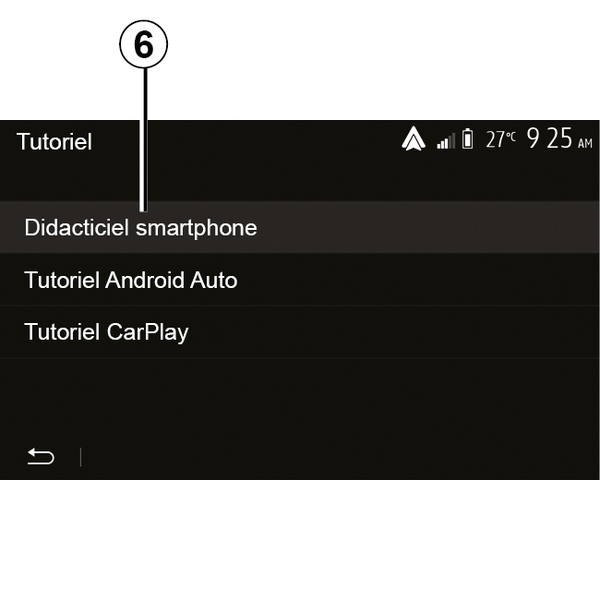
You can get additional help on the operation and usage conditions of the voice recognition system.
To do this, from the home screen tap on "Settings", "Devices", "Tutorial", "Voice guidance" 6.

This function is presented in the form of screens explaining how to use voice recognition, alongside the:
- conditions of use;
- compatible telephones;
- the activation and deactivation of the function using the voice recognition button
in your vehicle;
- method for interacting with the screen;
- available functions;
- extent of the functions.